Lightning-Fast Inventory.
Local Power. ERP Freedom.
A zero-config inventory system and ERP built for businesses that prioritize speed. Runs directly from a USB drive, stores data locally in SQLite, and dynamically adapts to your business domain.
Built for Speed, Designed for Control
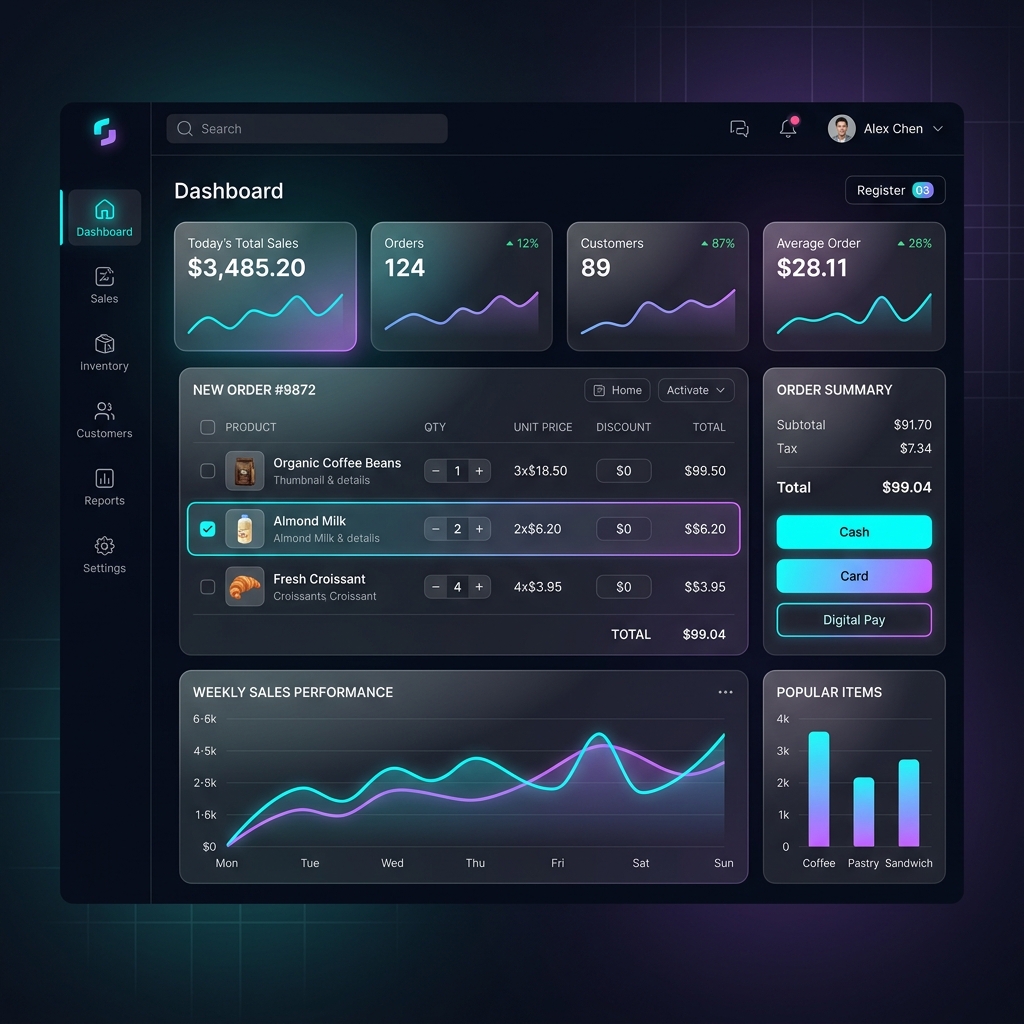
Inventoryapp packs enterprise-grade POS and inventory tracking into a lightweight local app.
Full Keyboard Navigation
Operate checkout, apply discounts, search inventory, and print receipts entirely without touching the mouse. Built for fast-paced retail environments.
GST Compliance & GSP Integration
Seamlessly handle CGST, SGST, and IGST billing. Connects to Government GSP portals to generate official IRS IRN QR Codes directly on receipts.
Robust SQLite Database
All transaction files, product masters, and sales records are saved locally in standard `.db` files. Safe, easy to transfer, and perfect for simple offline storage.
Advanced Sales Analytics
Generate reports for daily sales totals, supplier payment ledgers, tax breakdowns, and historical profits. Export directly to beautiful, styled Excel sheets.
Auto-PO & 1-Click Inward
Autogenerate Purchase Orders split by vendor when inventory levels drop below thresholds. Instantly convert distributor invoices or quotes into active stock counts.
Supplier Claims Manager
Track expiry-near batches and damaged inventory. Create, sign, and print credit-note matching Debit Notes to recover costs from suppliers in seconds.
Experience the Enterprise Console
Test-drive the interactive console below. Switch tabs to see POS Billing, Analytics Dashboards, Supplier Auto-POs, and Returns Claims.
Hourly Sales Tracker (Simulated)
โ ๏ธ Low Stock & Expiry Alerts Threshold < 20 units
| Item | Current Stock | Status | Supplier |
|---|
Excel Report Center
Formulate and export complete local transactional data directly into pre-styled spreadsheet workbooks.
โก Automated Replenishment (Auto-PO)
Automatically matches products below warning threshold to their bound supplier and generates distinct purchase orders.
| Product Name | Current Stock | Safety Limit | Reorder Qty | Supplier |
|---|
๐ผ One-Click Inwards & Quotations
Quickly process distributor quotes into stock count or load active customer drafts.
๐ก๏ธ Supplier Claims Manager (Expiry & Damage)
Select expired batches (in pharmacy mode) or broken appliances (in IT mode) to process supplier credit debit notes.
| Product / Batch | Expiry Date | Defective Qty | Status | Action |
|---|
Debit Note Preview
No active claim generated.
Click "File Supplier Claim" on the left to generate the credit recovery Debit Note.
Built for Your Specific Industry
Why purchase specialized software? Inventoryapp configures dynamically with tailored presets for different domains.
Pharmacy Mode
System DefaultOptimized for fast medication checkouts, safety compliance, and batch management. Enforces validation to prevent dispensing expired batches.
- Tracks batch numbers and explicit expiry dates per medication package
- Shows automated pop-ups for expired or expiring batches during billing
- Enforces drug scheduling categories (OTC, Schedule H, H1, X)
- Allows searching inventory by salt composition (e.g. searching "Paracetamol" returns all brands)
Zero-Touch Keyboard Checkout
Inventoryapp is designed for professional operators. Test the keys below or try using them on your physical keyboard!
Standard Operations
Quick Navigation (Alt + Key)
Application Screenshots
Get a closer look at the actual Inventoryapp application interface. Click any image to view it full screen.
Billing View (POS)
Three-column layout for product grid, active cart, and lightning fast numeric checkout.
Inventory & Expiry Dashboard
Alerts for low stock and expiring items, featuring automated replenishment triggers.
Product Master Management
Product creation form, batch numbers, tax settings, and supplier bindings in a unified panel.
Quick Start & Setup Instructions
Set up Inventoryapp on your terminal or local computer in less than a minute.
Extract the ZIP File
Extract `Inventoryapp_Portable.zip` into a permanent directory on your machine (e.g. `D:\Inventoryapp\`). Do not run from inside the ZIP file.
Launch the Server
Double-click **`run_inventoryapp_app.bat`** in the extracted directory. This fires up the local python web server on port `8004` and opens a distraction-free Edge App Kiosk window.
First-Time Login
Log in using the default credentials. We strongly advise updating this password immediately in Settings โ Users.
adminTechfics@Admin@POSInitialize Your Settings
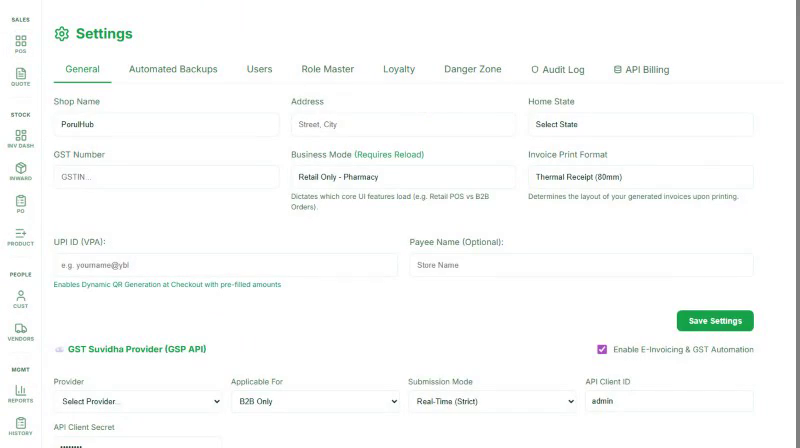
Go to Settings โ๏ธ to customize your business mode, logo, GST numbers, and printer layouts. Then populate products and start billing!
Network Sharing
Want to run POS bills from a tablet or separate terminal? Other machines on the same local Wi-Fi can open the app by navigating to:
The active Server IP is printed in the command terminal window upon startup.
Troubleshooting Conflict Ports
If you get a "port already in use" conflict or connection refused, run the clean force script to purge stuck processes:
Killing stuck Python backends on port 8004...
Terminating billing database handles...
Restarting Inventoryapp Client cleanly... [OK]